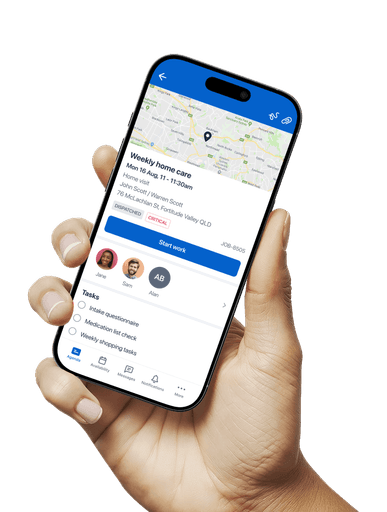
FULL REDESIGN
DESIGN SYSTEM
IOS + ANDROID
Role
Lead Designer
(Sole designer on the Mobile team)
Industry
Workforce Management
Duration
Research + discovery - 3 months Build to Beta - 1.5 years
Released in 2024
Skedulo helps enterprises manage their mobile workforce: scheduling, dispatching, and supporting field employees through a mobile-first experience.
The legacy mobile app was built on outdated technology, limiting both performance and user experience. For workers in the field, this meant slow, inaccessible tools that weren’t designed for the realities of their day-to-day.
We had a pivotal opportunity: to rebuild the app from the ground up.
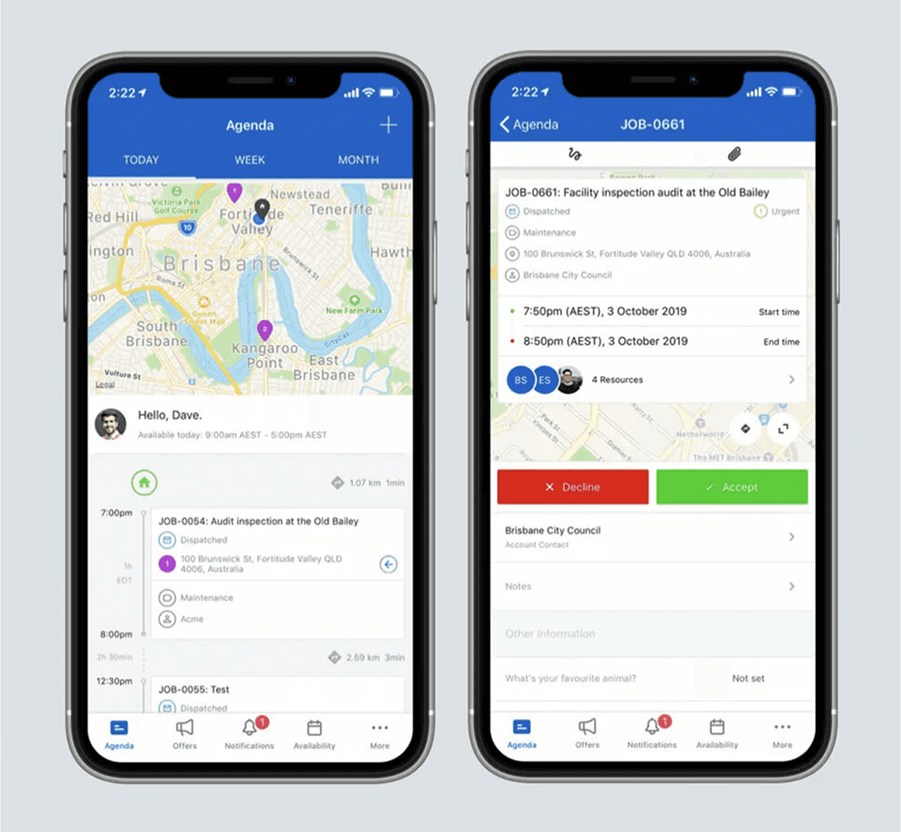
The legacy Skedulo app
MY ROLE
As the sole product designer embedded in the mobile team, I co-led the redesign from initial vision through to delivery and customer migration.
I collaborated closely with product, engineering, and research—defining the UX vision, creating the design system, and ensuring the app met both business goals and user needs. Along the way, I also facilitated design workshops, supported offshore team transitions, and presented concepts to stakeholders across the organisation.
CHALLENGES
Limited direct user research
Most previous feedback came from decision-makers, not frontline workers using the app.
Broad feature set
We had to unpack years of accumulated functionality to identify priorities.
Evolving tech stack
With backend and mobile frameworks maturing in parallel, flexibility and tight design-engineering alignment were essential.
Native vs. custom patterns
We needed a design system that felt at home on iOS and Android, but also distinctly within Skedulo's branding.
Team transitions
Internal restructures and the handover to a new overseas delivery team without losing design momentum.
PROCESS
Methodologies
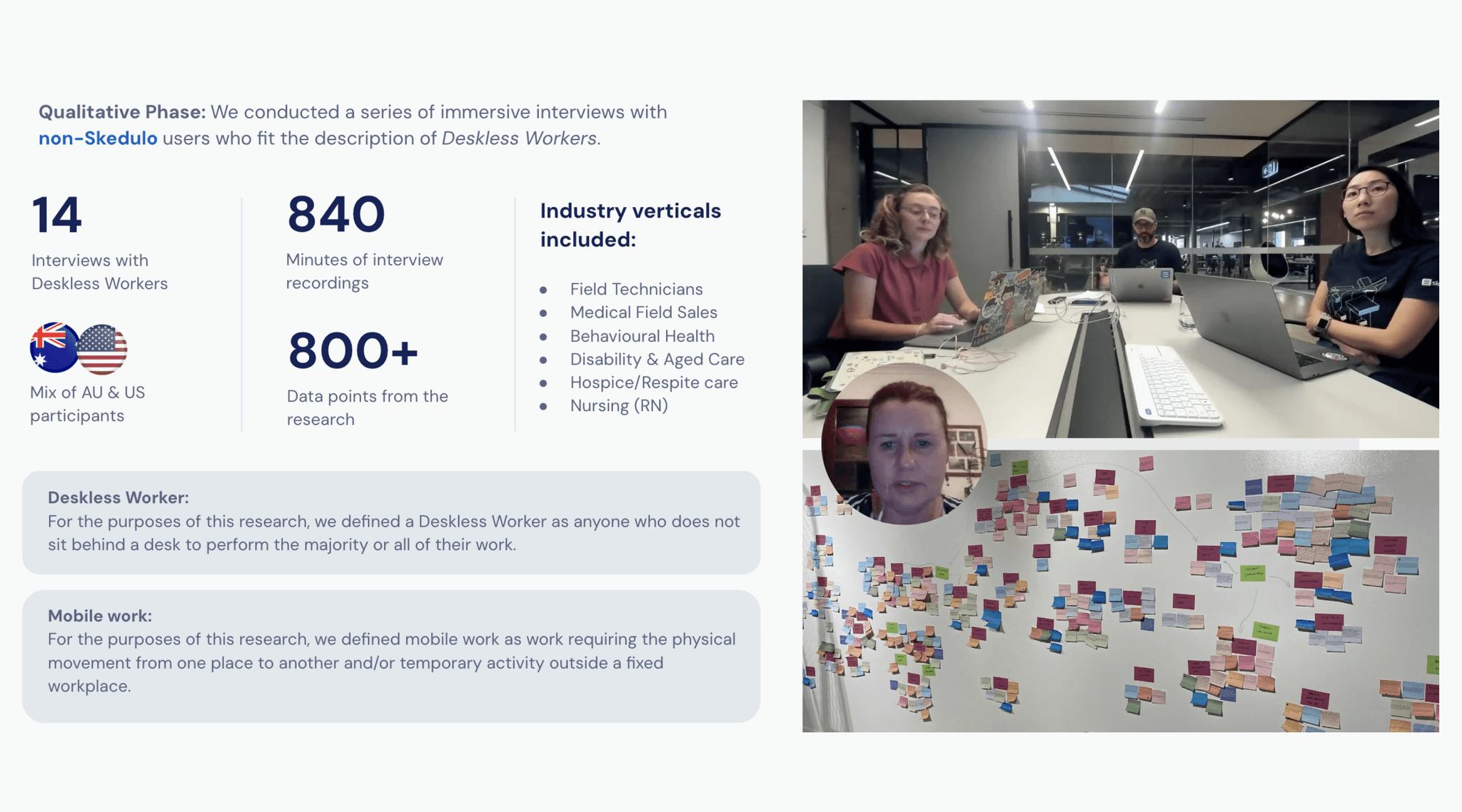
I worked with the Head of Design and a UX researcher to collect, analyse and synthesise research:
14 interviews with deskless/field workers.
Synthesis of existing mobile product feedback
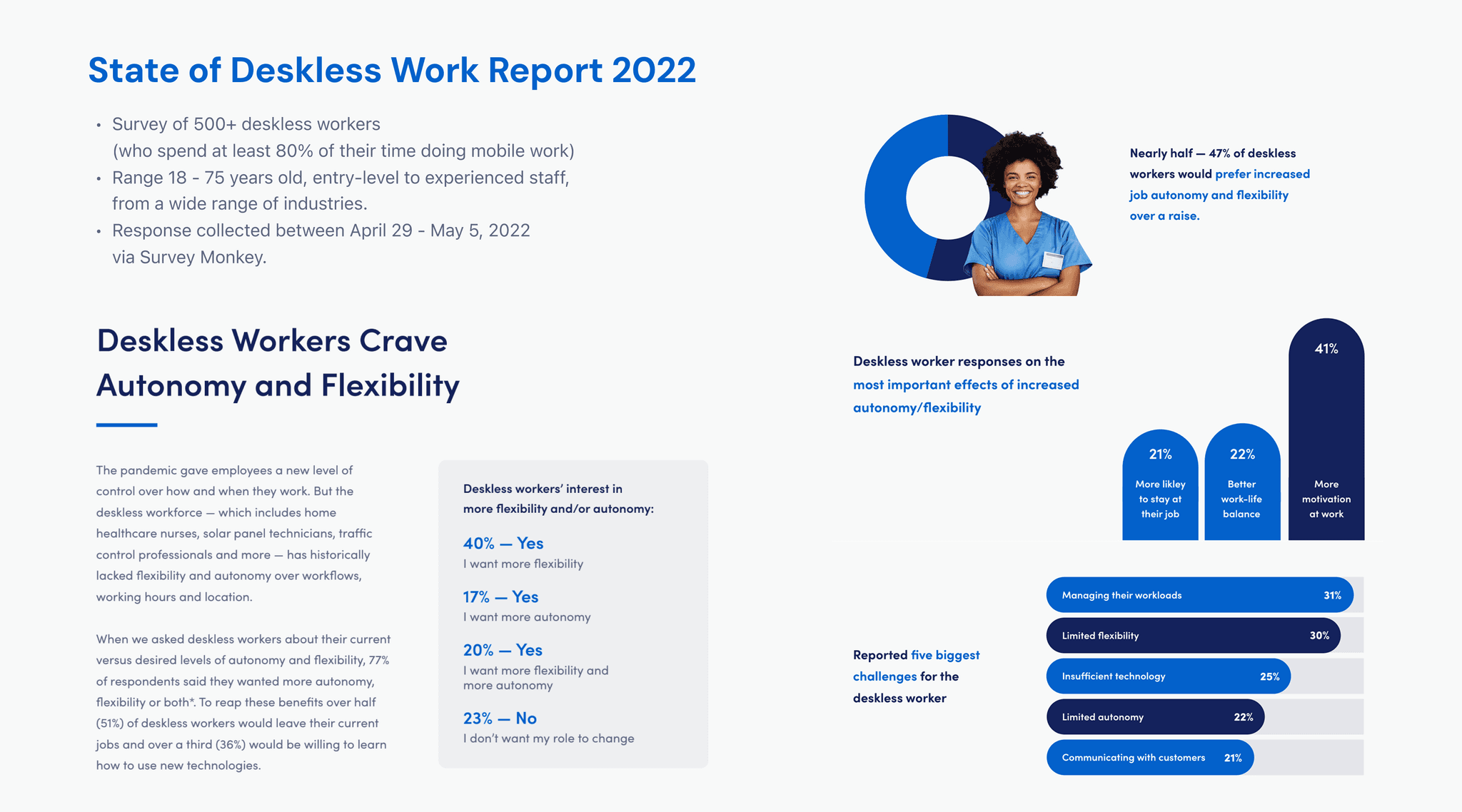
500+ survey responses
Industry and competitor research
Learnings
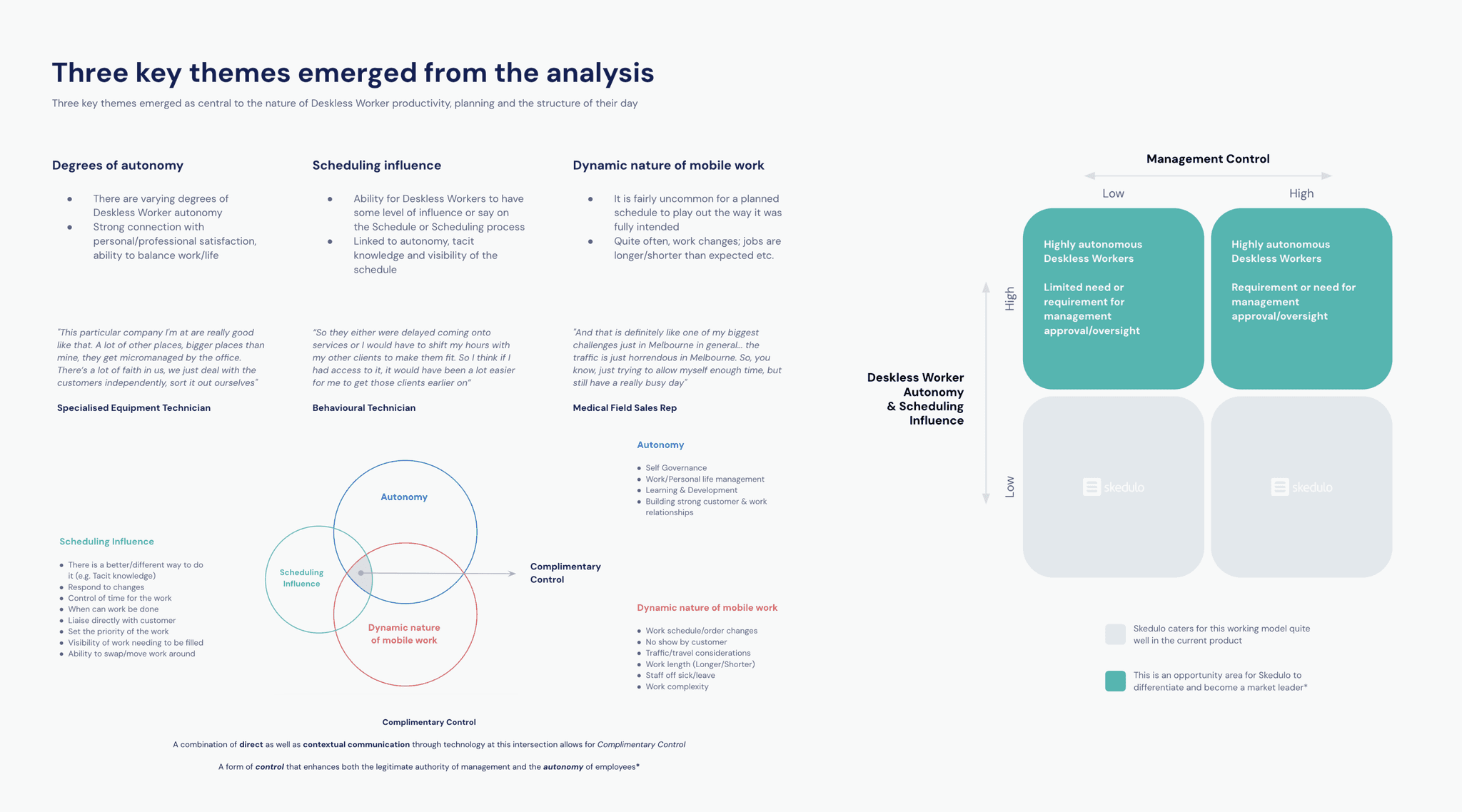
Key pain points surfaced included:
Poor readability in outdoors and travel scenarios
Small tap targets and inconsistent touch areas
Poor offline clarity
Poor or no accessibility support (VoiceOver, dynamic type, dark mode)
Research artefacts
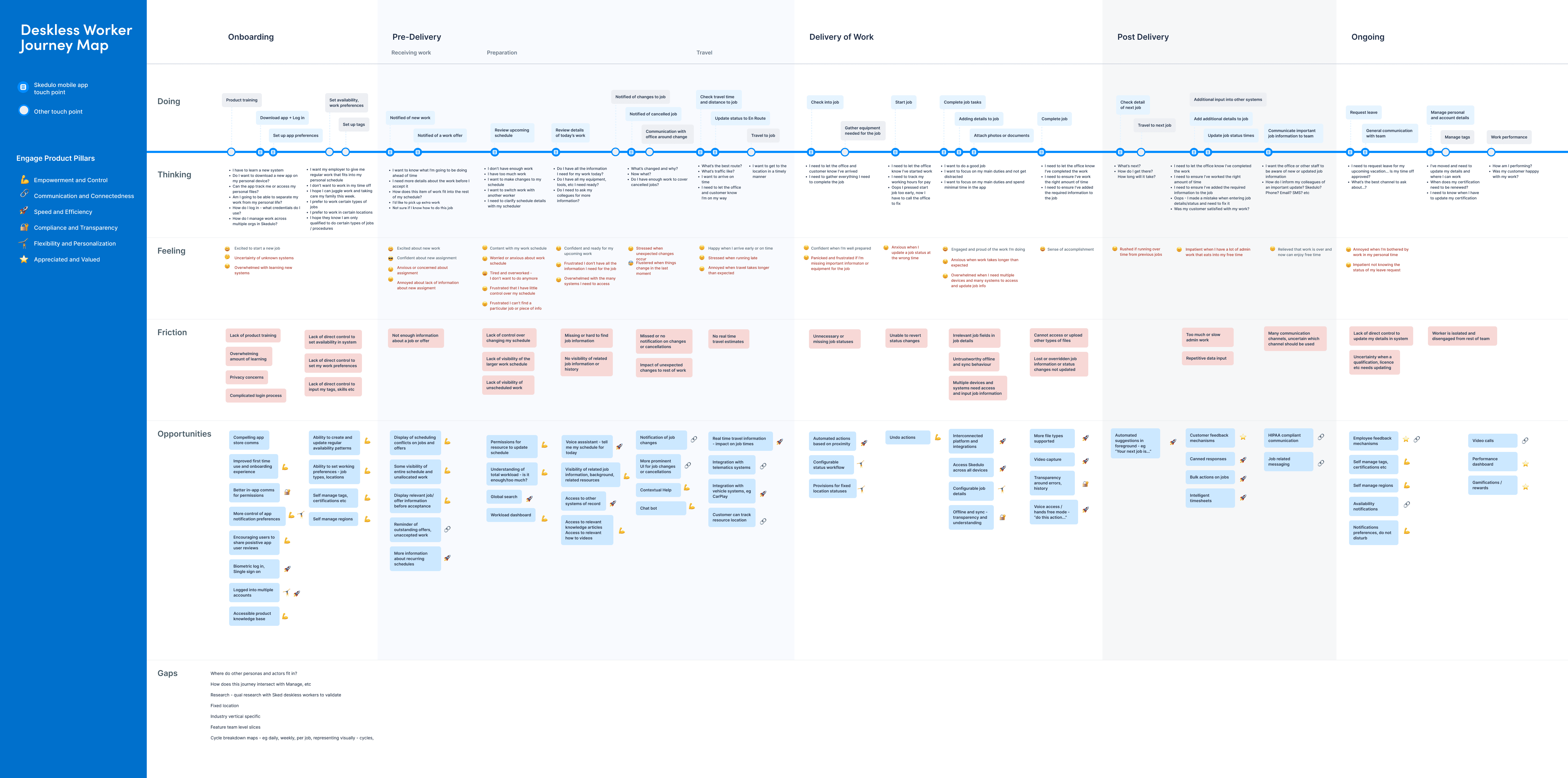
Deskless Worker journey map
To gain organisational buy-in, I partnered with a small squad (2 engineers & PM) to build a working prototype over a 6-week cycle. This was demoed internally and validated with users. The success of this phase secured investment in a larger delivery team.
Facilitated concept testing and iterative workshops with stakeholders and users.
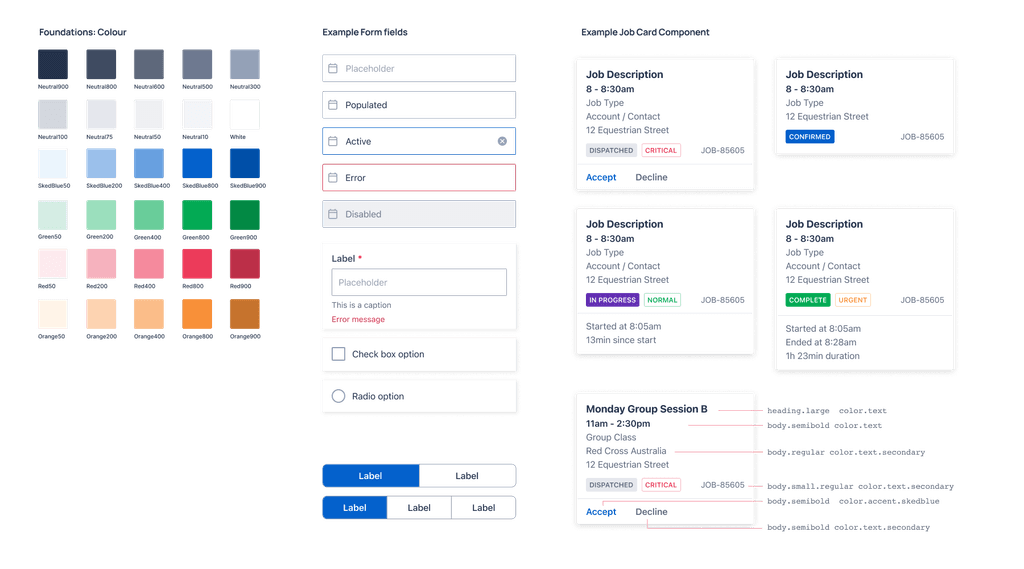
Created a scalable, modular design system that could flex across diverse workflows.
Ensured WCAG accessibility standards were met, prioritising clarity, contrast, and usability in varying field environments.
Build and rollout: With a full team in place, I partnered with a PM and engineering through implementation — supporting design QA, refining edge cases, and running a beta program with early adopters. Feedback loops were built into rollout to ensure real-world validation before general release.
The design of the new Skedulo Plus app was guided by 4 core principles:
Modular design system
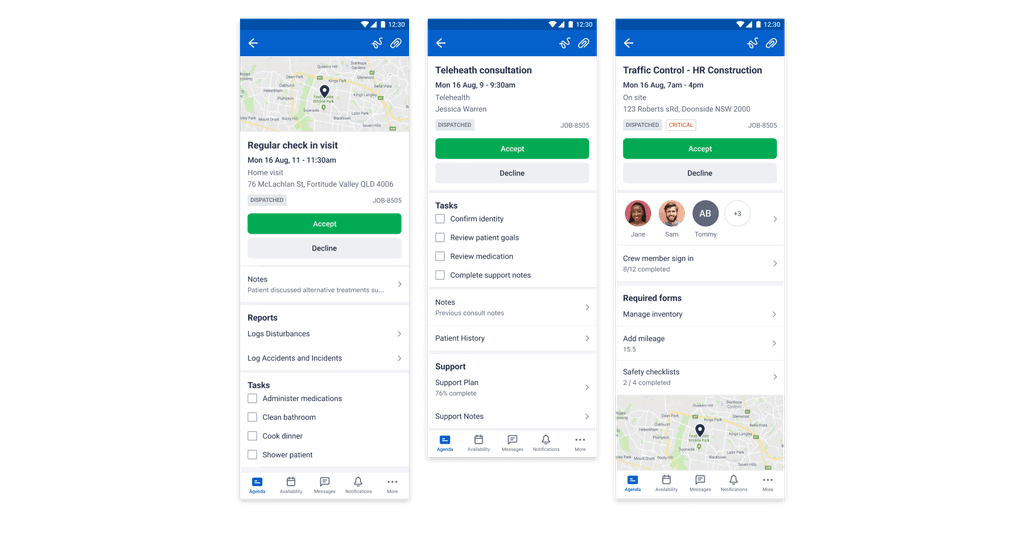
Built for flexibility, enabling layout and interaction patterns to be easily adapted for varying customer workflows.
Accessible by default
High contrast, large touch targets, scalable text, and VoiceOver support to improve usability in outdoor and mobile environments.
Offline-first considerations
Clear UX patterns and messaging to support workflows with limited or no connectivity.
Consistency + simplicity
A unified look and feel across all screens + custom forms, for a more cohesive experience.
OUTCOMES
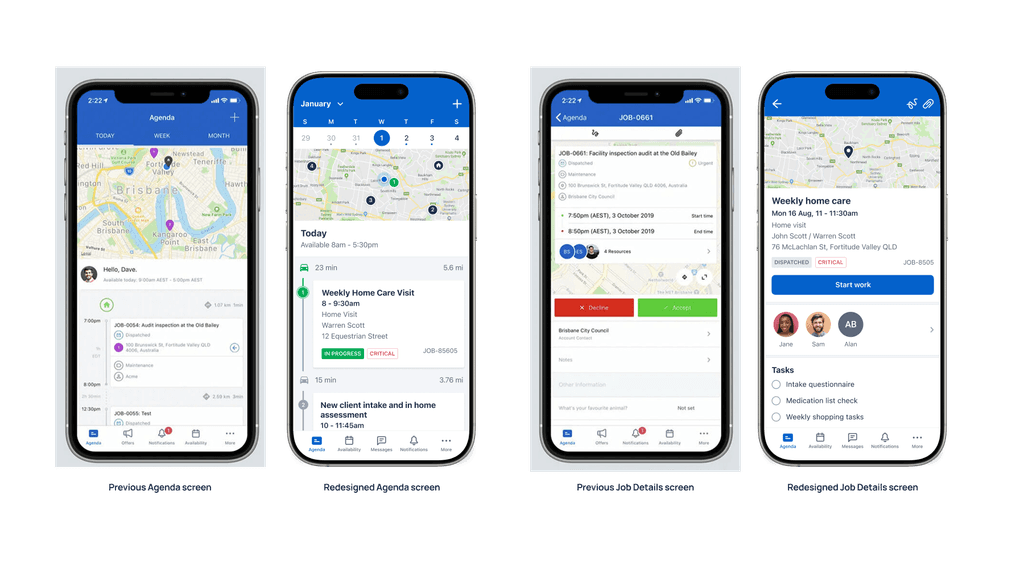
Improved information hierarchy for faster scanning and task execution
Consistent UI patterns across workflows and platforms
WCAG AA compliance for contrast and text scaling
Flexible framework adaptable to diverse customer needs
Streamlined navigation and simplified interfaces
User feedback
“So easy to use and helpful for managing my jobs.”
“Happy with the new version… it’s much snappier and love the UX.”
“This feels like a real tool for work now - simple, fast, and much easier to use on the go.”